Amplitude
Flagsmith is available as a cohort syncing destination in Amplitude's destination catalogue. Once connected, every Amplitude cohort you sync appears in Flagsmith as a segment and is kept up to date automatically. If you have not already, read the cohort synchronisation overview for how synchronised segments behave.
tip
Flagsmith matches cohort members to identities by identifier: the Amplitude user_id must be the same value your
application uses as the Flagsmith identity identifier.
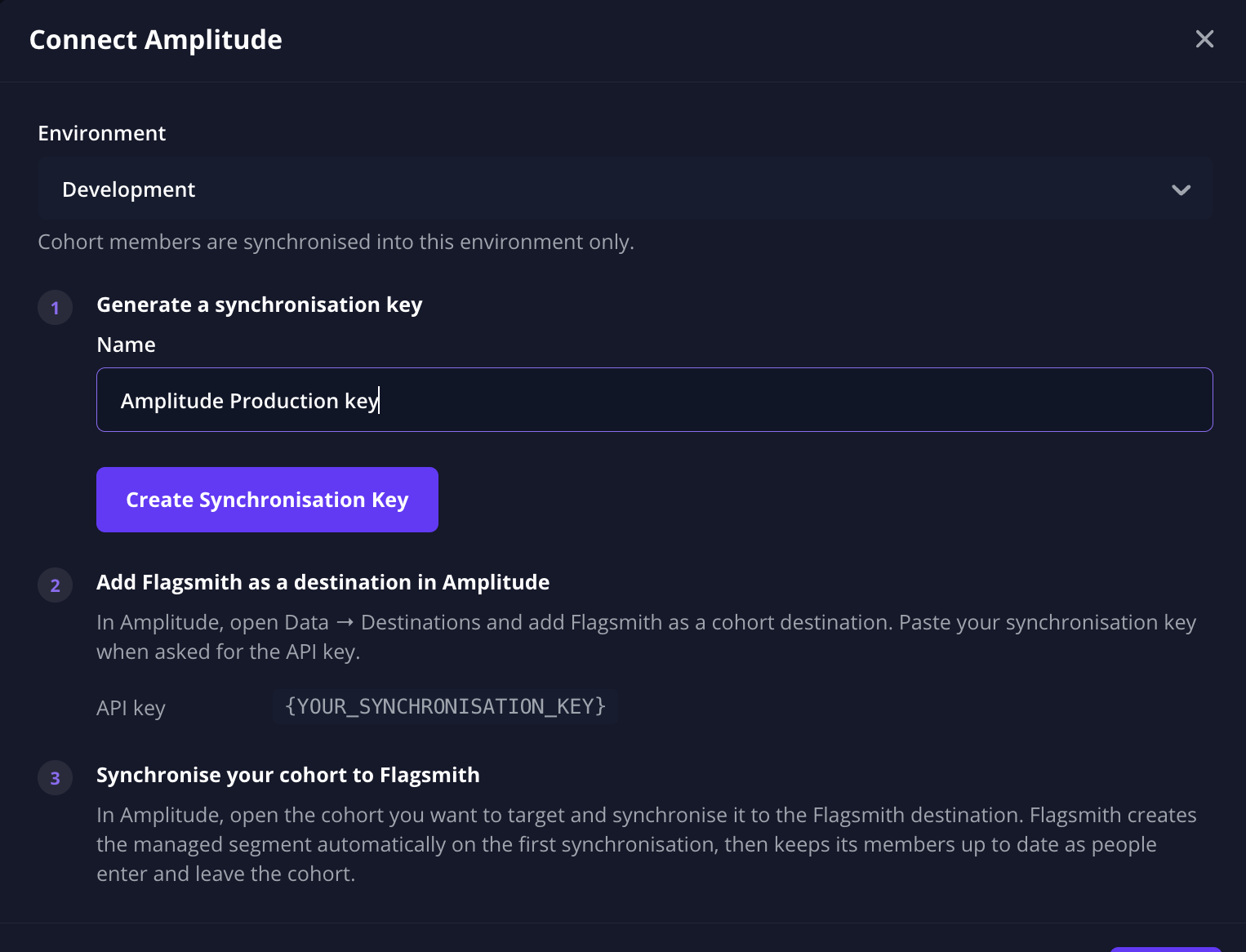
1. Create a synchronisation key in Flagsmith
- Go to the Segments page in your project and click Create Segment.
- Choose Amplitude.
- Select the environment you want to synchronise cohorts into.
- Create a synchronisation key: give it a name (e.g. "Amplitude production") and copy the key value. It is shown only once. If the environment already has a key you created earlier and still have access to, you can reuse it instead.
2. Add Flagsmith as a destination in Amplitude
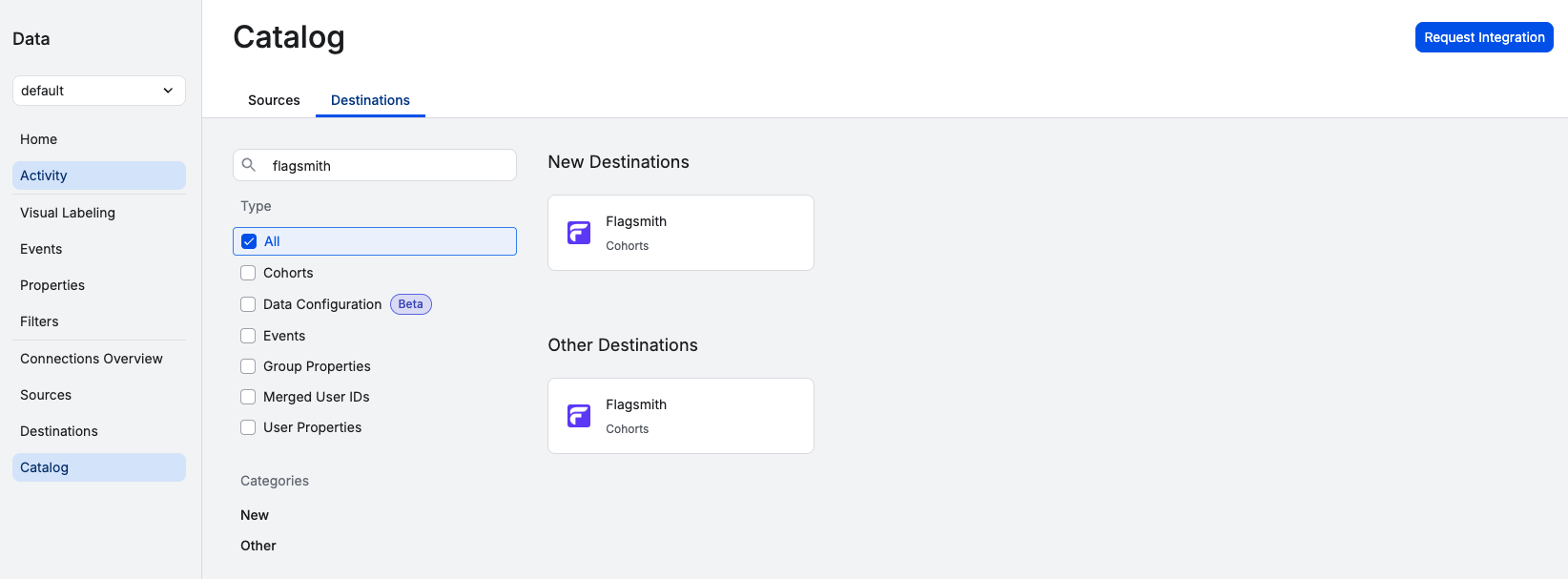
- In Amplitude, go to Data > Destinations and find Flagsmith in the cohort destinations catalogue.
- Add the destination and paste your synchronisation key into the API Key field.
- Give the destination a recognisable name — including the Flagsmith environment name is a good idea, since the key determines which environment cohorts are synchronised into.
3. Synchronise a cohort
- In Amplitude, open the cohort you want to use and choose Sync (or Export Cohort).
- Select your Flagsmith destination.
- Choose the sync cadence. Scheduled and real-time syncs keep the Flagsmith segment up to date automatically; a one-time sync sends the current membership once.
Shortly after the first sync, a segment named after your cohort appears on the Segments page of your project, ready to be used in segment overrides.
Notes
- Each cohort sync you set up in Amplitude creates its own segment in Flagsmith — syncing the same cohort to a second destination creates a separate segment.
- If you delete a synchronised segment in Flagsmith, also stop the cohort sync in Amplitude. Amplitude will otherwise report the sync as failing and may pause it.